Blogger vs WordPress in 2026: What I Learned After Starting on Blogger
I started AI Workbench Lab on Blogger, considered WordPress, and later migrated to Next.js. Here is what that real journey taught me about cost, maintenance, SEO, control, and choosing the right platform.
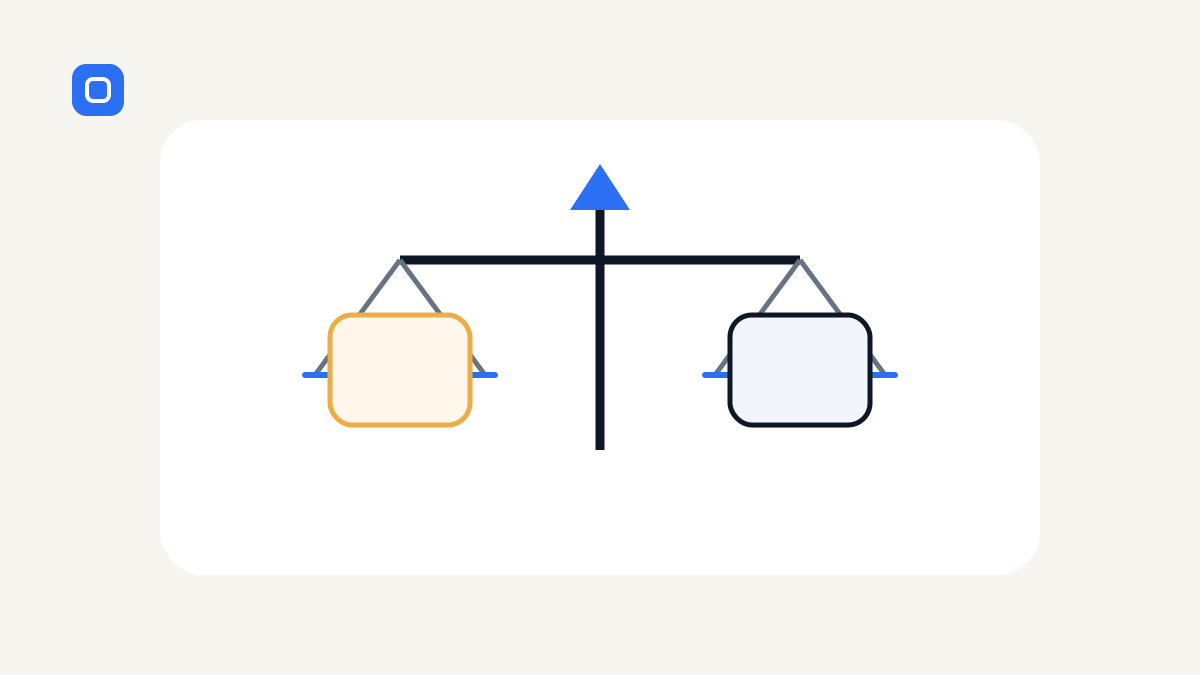
When I first started AI Workbench Lab, I spent far too much time asking one question:
Should I use Blogger or WordPress?
I compared hosting plans.
I looked at themes.
I read about plugins.
I thought about SEO, maintenance, security, backups, design freedom, and long-term growth.
At the time, choosing the platform felt like the most important decision.
It was not.
The most important decision was publishing something useful.
That is why I started AI Workbench Lab on Blogger.
And there is an important update to the story:
AI Workbench Lab is no longer on Blogger.
I eventually migrated the site to a custom Next.js website deployed through Vercel.
I did not move because starting on Blogger was a mistake.
I moved because the project changed.
That experience gave me a much more useful perspective on the Blogger-vs-WordPress question than I had when I first wrote about it.
This is how I would think about the decision now.
Quick answer
Choose Blogger when your main goal is to start publishing with almost no technical overhead.
Choose WordPress when you want a mature publishing platform with much more control, a huge plugin ecosystem, and room for business features.
But do not choose either because someone says it is "best for SEO."
For a new project, the better question is:
Which platform removes the biggest obstacle between you and publishing something genuinely useful?
That was Blogger for me at the beginning.
Later, my needs changed enough that I moved to a custom stack instead.
Why I chose Blogger first
Before AI Workbench Lab, I had already spent a lot of time working on more technical websites.
I enjoyed that work, but I also knew what came with it:
- hosting decisions
- code changes
- deployment
- performance checks
- technical SEO
- maintenance
- debugging
For AI Workbench Lab, I wanted the opposite.
I wanted to write.
So I deliberately chose a simpler platform.
With Blogger, I could sign in with a Google account, create the site, and start publishing.
There was no server to maintain.
No plugin stack to assemble.
No hosting bill.
No deployment workflow.
That simplicity mattered because my biggest problem at the time was not a lack of features.
It was that I was spending too much time preparing to publish.
One evening I realised I had researched hosting, themes, plugins, and website builders — but had not written the article I actually wanted people to read.
That was the point where Blogger made sense.
It got me moving.
Where Blogger was genuinely useful
Blogger was useful for exactly what I needed at the start.
1. It reduced setup decisions
I did not need to decide how the site would be hosted or maintained.
That meant fewer ways to procrastinate.
2. It let me validate the project cheaply
I could find out whether I would actually keep writing before investing in a larger publishing setup.
That is still one of Blogger's strongest advantages for a small experiment.
3. It made publishing simple
For a project whose main purpose was writing, the workflow was straightforward.
Create the post.
Edit it.
Publish it.
Move on.
4. It taught me that content and platform are different problems
A polished site cannot compensate for weak content.
A basic site can still be useful if the information is original, clear, and genuinely helpful.
That lesson became more important later when I started working on SEO and AdSense.
Where Blogger started to feel limiting
As AI Workbench Lab grew, I wanted more than a place to publish posts.
I wanted:
- a stronger content structure
- reusable resources and checklists
- tighter internal linking
- custom metadata
- more control over structured data
- a clearer design system
- direct control of redirects
- a workflow connected to GitHub
- Preview deployments before Production
- room to build interactive tools later
At that point, the trade-off changed.
The simplicity that had helped me begin was no longer the main requirement.
Control became more valuable.
That is when I migrated away from Blogger.
I documented the technical side in How to Migrate a Website Without Losing SEO.
Why I did not move to WordPress
This is the part my original comparison could not have predicted.
I thought the natural next step after Blogger would be WordPress.
It was not.
By the time I was ready to move, I was already working with Next.js, GitHub, Vercel, Cursor, v0, and Supabase on real projects.
So instead of moving into a WordPress workflow, I built AI Workbench Lab around the workflow I was actually learning.
That does not mean Next.js is better than WordPress for blogging.
It means my project had changed.
WordPress would still be the more practical choice for many people who want:
- a mature CMS
- visual editing
- themes
- plugins
- multi-author publishing
- e-commerce
- memberships
- less custom coding
My custom stack gives me more control, but it also gives me more responsibility.
That is a trade-off, not an automatic upgrade.
Blogger vs WordPress: how I compare them now
| Question | Blogger | WordPress | | --- | --- | --- | | How quickly can I start? | Very fast | Fast, but usually more setup | | Hosting included? | Yes | Depends on WordPress.com vs self-hosted WordPress | | Ongoing technical maintenance | Low | Low to significant, depending on setup | | Design flexibility | Limited | High | | Plugin ecosystem | Minimal | Very large | | Custom business features | Limited | Strong | | Cost to experiment | Very low | Can range from low to substantial | | SEO control | Basic to adequate | Strong with the right setup | | Best fit | Simple publishing and testing an idea | Long-term content sites needing more control |
There is one important caveat in this table:
WordPress is not one single setup.
WordPress.com and self-hosted WordPress can feel very different in cost, control, maintenance, and complexity.
That is another reason I would not make the decision based on a generic feature checklist alone.
What I got wrong in my original thinking
At first, I treated platform choice as if it would determine whether the blog succeeded.
It does not.
A platform can make publishing easier or harder.
It can make certain features easier or harder.
But it cannot decide:
- whether the topic is useful
- whether the article answers a real question
- whether the writing is original
- whether readers trust the site
- whether the site keeps improving
I also assumed that "more powerful" meant "better."
That was wrong for the first stage of this project.
Blogger had fewer capabilities than WordPress, but that was exactly why it helped me.
It removed choices.
Later, when AI Workbench Lab needed more control, fewer choices became a limitation.
The same platform can be right at one stage and wrong at another.
What I would choose today
If I were starting a personal blog today with no clear proof that I would keep publishing, I would still be comfortable starting with something simple.
Blogger can still make sense when:
- the budget is close to zero
- the goal is writing rather than custom features
- you want minimal maintenance
- you are testing whether the project has momentum
I would choose WordPress when:
- content publishing is central to a serious long-term site
- I want editorial tools without building my own CMS
- I expect multiple content types or authors
- I need plugins, forms, memberships, products, or integrations
- I want more control without owning an entire custom codebase
And I would choose a custom framework only when the project genuinely benefits from that extra control and I am willing to maintain it.
That last part matters.
Do not turn a simple publishing problem into a software project unless the software project creates real value.
What the migration taught me
Moving AI Workbench Lab off Blogger reinforced a lesson that applies to almost every website project I work on now:
The platform is infrastructure. The value is what the site helps someone do.
The migration itself required careful work:
- preserving old URLs
- mapping redirects
- checking canonical tags
- updating internal links
- maintaining publication history
- submitting the new sitemap
- watching Search Console after launch
The new stack gave me more flexibility.
But it also made me responsible for all of those details.
That is why I no longer recommend a platform without first asking what the person is actually trying to build.
My recommendation
Do not spend weeks trying to choose the theoretically perfect platform.
Define what you need now.
If your real goal is:
"I need to start writing and prove I can publish consistently."
choose the simplest tool that removes friction.
If your real goal is:
"I am building a content business that needs more control, extensions, and structured publishing."
WordPress may be the better fit.
If your real goal is:
"I need a custom application, custom workflows, or deep integration with a development stack."
then a framework-based approach may make sense.
The right platform follows the job.
Not the other way around.
Final thoughts
Starting on Blogger was not a mistake.
It helped me publish when I was spending too much time planning.
Leaving Blogger was not proof that Blogger was bad.
It was proof that AI Workbench Lab had become a different project.
That is the part I wish I had understood from the beginning.
You do not need to choose the platform you will use forever.
You need to choose the platform that helps you create value at the stage you are in now.
Then, if the project grows, you can make the next decision with real evidence instead of guesswork.
For the story of how I moved the content safely, read How to Migrate a Website Without Losing SEO.
For the tools I use on the current site, see My AI Website Stack in 2026.
Practical AI. Real Experience. Built in Public.